
Headless CMS Explained: Why It Matters for Your Business Website
A plain-language guide to headless CMS architecture — what it is, how it differs from traditional WordPress, and when it makes sense for your business.
The Term You Keep Hearing
If you have spoken with a web developer or agency recently, you have probably heard the term "headless CMS." It sounds technical, maybe even a little intimidating. But the concept behind it is straightforward, and understanding it can help you make a smarter decision about your business website.
A headless CMS is not a brand or a product. It is an architectural approach — a way of building websites that separates where you manage your content from how that content is displayed to visitors. This separation unlocks significant advantages in speed, security, and flexibility that traditional website platforms struggle to match.
Let us break it down without the jargon.
Traditional CMS: The All-in-One Approach
A traditional CMS like WordPress bundles everything together. The system that stores your content (pages, blog posts, images), the admin panel where you edit that content, and the frontend templates that visitors see are all part of one interconnected system.
When someone visits your WordPress site, here is what happens behind the scenes:
- The visitor's browser sends a request to your server
- WordPress runs PHP code to query the database
- The database returns your content
- WordPress assembles an HTML page using your theme templates
- The server sends that HTML back to the visitor's browser
This all-in-one approach has clear benefits. Everything lives in one place. Themes control the look. Plugins add functionality. Content editors log into a familiar dashboard and see a preview of what the page will look like.
But the bundled architecture creates tradeoffs:
- Performance suffers because every page request requires database queries and server-side processing
- Security risk increases because the admin panel, database, and public website all share the same server
- Scaling is expensive because more traffic means more server processing power
- Design flexibility is limited to what your theme and page builder support
- You are locked in to the CMS's frontend rendering — if you want a fundamentally different user experience, you are fighting the platform
For a simple brochure site that gets modest traffic, these tradeoffs are often acceptable. But as your business grows and your website becomes a more critical part of your revenue, they start to matter.
Headless CMS: Separating Content From Presentation
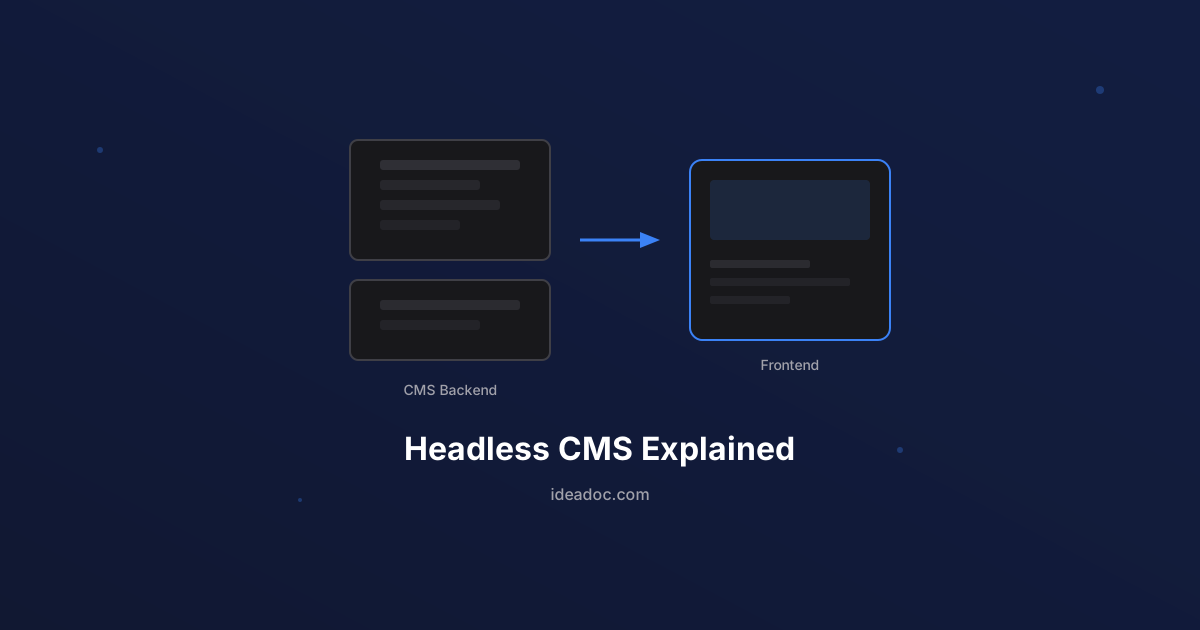
A headless CMS takes the "head" off the traditional model. The "head" is the frontend — the visual layer that visitors see. In a headless setup, the CMS only handles content storage and management. It delivers your content through an API (think of it as a data pipeline), and a completely separate frontend application handles the display.
Here is how the same page visit works in a headless architecture:
- The frontend (built with something like Next.js) has already pre-built your pages at deploy time
- The visitor's browser receives a finished HTML page almost instantly from an edge server near their location
- No database queries. No server-side assembly. Just fast delivery of pre-built content
The content management system and the website visitors see are decoupled. Your content team logs into the CMS to write and edit. Your frontend pulls that content and presents it however you want. The two systems communicate through an API but are otherwise independent.
Why Headless Matters for Your Business
Dramatically Faster Load Times
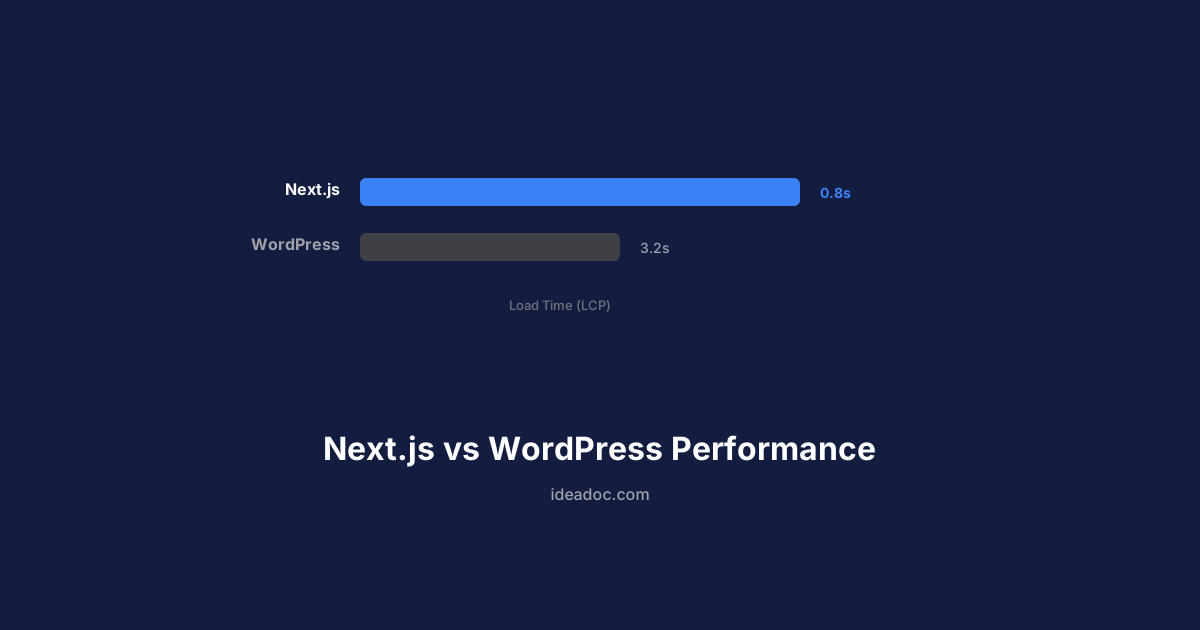
Because headless frontends like Next.js pre-render pages at build time, your site loads significantly faster than a traditional CMS site. We covered this in detail in our comparison of Next.js and WordPress performance, but the short version is that headless sites routinely load in under 1.5 seconds versus 3 to 6 seconds for traditional WordPress.
Speed is not just a nice-to-have. Google uses Core Web Vitals as a ranking signal, and visitors form opinions about your business in the first second of interaction with your site. A slow site communicates that your business is outdated, even if that is not true.
Stronger Security
In a traditional CMS, your admin dashboard is accessible from the internet. Attackers know the login URL (for WordPress, it is almost always /wp-admin), and automated bots attempt brute-force logins constantly.
With a headless setup, your CMS is not publicly accessible. The frontend is a static or server-rendered application with no admin panel, no login page, and often no database at all on the public-facing side. The attack surface shrinks dramatically.
For small businesses that do not have dedicated IT security staff, this architectural security advantage is significant. You are not relying on security plugins and hoping they catch everything — you have eliminated entire categories of vulnerabilities.
Flexibility to Use the Best Tools
When your content and your frontend are decoupled, you are free to use the best tool for each job:
- Content management: Choose a CMS your team actually enjoys using — WordPress, Sanity, Contentful, Strapi, or even a simple file-based system
- Frontend framework: Build with Next.js, Astro, or whatever delivers the best performance and user experience
- Hosting: Deploy the frontend to edge networks like Vercel for global performance, independent of where your CMS is hosted
- Design: No theme limitations. Your frontend can look and work however you want
This flexibility also future-proofs your content. If you decide to switch frontend frameworks in three years, your content stays in the CMS untouched. If you want to display the same content on a website, a mobile app, and a kiosk display, the API serves all of them.
Better Content Workflow for Teams
Modern headless CMS platforms offer editing experiences that are often superior to traditional WordPress:
- Real-time collaboration where multiple editors can work simultaneously
- Content modeling that enforces structure — no more pages with inconsistent formatting
- Preview environments that show exactly how content will look before publishing
- Version history and rollback built into the platform
- Role-based access so different team members have appropriate permissions
Headless WordPress: The Best of Both Worlds
Here is something that surprises many business owners: you can use WordPress as a headless CMS. Your team keeps the WordPress editing experience they know, but instead of WordPress rendering the website, a Next.js frontend pulls content from WordPress via its REST API or GraphQL and delivers a fast, modern website.
Headless WordPress makes sense when:
- Your team is already trained on WordPress and comfortable with the editor
- You have years of existing content in WordPress that you do not want to migrate
- You want WordPress's mature plugin ecosystem for content management (not for the frontend)
- You need the performance and security benefits of a modern frontend
This is a common approach in our web development projects. Businesses get to keep their familiar workflow while their visitors get a dramatically faster, more secure experience. The content team does not need to learn anything new, and the website performs like a modern application.
When Headless Is Overkill
Headless architecture is not the right answer for every situation. Being honest about this is important:
A traditional CMS is probably fine if:
- You have a simple 5-page brochure site that rarely changes and does not need to rank competitively in search
- You personally manage your site and want the simplest possible editing experience without any technical setup
- Your budget is very limited and you need the lowest upfront cost — a WordPress theme with basic hosting is still the most affordable starting point
- You need e-commerce with WooCommerce and your store's functionality depends heavily on WordPress plugins
Headless becomes the stronger choice when:
- Site speed and SEO are competitive advantages in your market
- Security is a concern and you want to reduce your attack surface
- You need custom functionality that goes beyond what WordPress themes and plugins provide
- You plan to scale your content and traffic significantly
- You are already investing in content and SEO and want your technical foundation to support that investment
The Cost Question
The honest answer is that a headless architecture has a higher initial build cost than a template WordPress site. Building a custom Next.js frontend requires development expertise that a drag-and-drop page builder does not.
However, the total cost of ownership over 2 to 3 years often favors headless:
- Hosting costs are lower — static and edge-deployed sites cost a fraction of managed WordPress hosting
- Maintenance is simpler — no plugin updates breaking your site, no security patches to chase
- Performance improvements compound — better SEO rankings mean more organic traffic, which is free traffic you do not have to pay for with ads
The right question is not "which is cheaper to build" but "which generates more value over the life of the investment."
How to Evaluate Whether Headless Is Right for You
If you are considering a new website or a redesign, here is a practical framework:
- Assess your current pain points. Is your site slow? Are you dealing with security issues? Is your design limited by your theme? If the answer to multiple questions is yes, headless addresses those root causes
- Consider your content workflow. Who manages your content, and what do they need from an editing experience? This determines which CMS makes sense on the backend
- Evaluate your competitive landscape. Pull up your top 3 competitors' sites on your phone. If they load faster and look more professional, your website is a liability
- Think about your 3-year plan. If you plan to invest in SEO content, add new services, or expand to new locations, a headless foundation supports that growth without rebuilding
Not Sure Where to Start?
The decision between traditional and headless architecture does not have to be overwhelming. It starts with understanding what your business needs today and where you want to be in the next few years.
If you want a clear, jargon-free assessment of whether headless makes sense for your specific situation, we are happy to help. Our AI consulting team can evaluate your current setup and recommend the approach that delivers the most value for your budget. Reach out for a free consultation — we will give you an honest recommendation, even if that recommendation is to stick with what you have.
Get AI tips for your business
Join small business owners getting weekly insights on AI automation, chatbots, and growth strategies. No spam, unsubscribe anytime.
Related Articles
Next.js vs WordPress: Why Performance Matters for Small Business Websites
A practical comparison of Next.js and WordPress for small business websites — covering speed, SEO, security, and total cost of ownership.
7 Website Mistakes That Are Costing Your Small Business Leads
The most common website mistakes small businesses make — and the practical fixes that turn your site from a digital brochure into a lead-generating machine.
Schema Markup for Small Business: The SEO Advantage Your Competitors Are Missing
A practical guide to schema markup for small businesses — what it is, which types matter most, and how structured data helps you stand out in Google search results.