
7 Website Mistakes That Are Costing Your Small Business Leads
The most common website mistakes small businesses make — and the practical fixes that turn your site from a digital brochure into a lead-generating machine.
Your Website Might Be Driving Customers Away
You are spending money on ads, posting on social media, and asking for referrals. But when potential customers land on your website, something happens — they leave. No phone call. No form submission. No sale.
For most small businesses, the website is the single most important marketing asset. It is where every other channel points. Yet many small business websites suffer from the same preventable mistakes that silently bleed leads every day.
The good news is that none of these problems are difficult to fix once you know what to look for. Here are seven website mistakes that are costing you leads, and exactly how to fix each one.
1. Slow Load Times
The problem: Your website takes more than 3 seconds to load on a mobile phone. According to Google, 53 percent of mobile visitors abandon a site that takes longer than 3 seconds to load. That is more than half your traffic gone before they see a single word.
Slow load times usually come from a combination of factors: oversized images, cheap shared hosting, too many plugins or scripts, and page builders that generate bloated HTML. If you are on a traditional WordPress setup with a handful of plugins and a template theme, your site is likely slower than you think.
The fix:
- Test your speed with Google PageSpeed Insights or GTmetrix — test the mobile score, not just desktop
- Compress and resize images before uploading them. No visitor needs a 4000px-wide photo of your storefront
- Upgrade your hosting from bargain shared hosting to a managed solution, or consider a modern framework like Next.js that deploys to edge networks
- Remove unused plugins and scripts — every plugin adds weight, even if it seems small
- Enable caching so returning visitors load your site faster
The performance difference between a 4-second site and a 1.5-second site is not just about user experience. Google uses Core Web Vitals as a ranking factor, so a faster site literally ranks higher in search results.
2. No Mobile Optimization
The problem: Your site looks acceptable on a desktop monitor but is frustrating to use on a phone. Text is too small, buttons are hard to tap, horizontal scrolling is required, or elements overlap.
Over 60 percent of web traffic now comes from mobile devices. For local businesses, that number is even higher — people searching for nearby services on their phone are some of your highest-intent prospects. If your site is not easy to use on a 6-inch screen, you are losing your best leads.
The fix:
- Use responsive design that adapts layouts to any screen size. This is not optional in 2026 — it is table stakes
- Make tap targets at least 44x44 pixels. Small links and tiny buttons frustrate mobile users
- Test on real devices, not just browser developer tools. Pull up your site on your phone right now and try to complete the actions you want customers to take
- Simplify navigation for mobile. A hamburger menu is fine, but keep the most important links — Contact, Services, Book Now — immediately visible
- Ensure forms are usable on mobile with appropriately sized input fields and the right keyboard types (phone keyboard for phone number fields, email keyboard for email fields)
3. Missing or Weak Calls to Action
The problem: Your website describes what you do, but it never clearly tells visitors what to do next. There is no prominent button to call, no form above the fold, no booking link. Or worse, the only CTA is buried in the footer.
A website without clear calls to action is a digital brochure. It informs, but it does not convert. Visitors who are interested but not told what to do next will simply leave and find a competitor whose site makes the next step obvious.
The fix:
- Place a primary CTA above the fold on every page. "Get a Free Quote," "Book a Consultation," or "Call Now" — whatever makes sense for your business
- Use action-oriented language. "Submit" is weak. "Get My Free Estimate" tells the visitor exactly what they will receive
- Repeat your CTA throughout long pages. A visitor who scrolls past the hero section should encounter another opportunity to convert without scrolling back up
- Make phone numbers clickable on mobile with
tel:links - Use contrasting colors for CTA buttons so they visually stand out from the rest of the page
Every page on your site should have a job. The homepage guides visitors to services. Service pages guide visitors to contact you. Blog posts guide readers to related services. If a page does not lead somewhere, it is a dead end.
4. Poor Contact Forms
The problem: Your contact form asks for too much information, feels like a chore, or worse — it does not work at all. Broken forms are more common than you might think, and they are invisible revenue killers because you never see the leads you missed.
The fix:
- Keep forms short. Name, email or phone, and a message field. That is usually enough for a first contact. Every additional field reduces completion rates
- Test your forms regularly. Submit a test entry every month to make sure emails are actually arriving. Check your spam folder
- Add form validation that helps users correct mistakes in real time, not just a vague "error" message after they hit submit
- Include a confirmation message or redirect to a thank-you page so visitors know their message was received
- Offer multiple contact methods. Some people prefer calling. Some prefer email. Some prefer texting. Give your visitors options
If you are not receiving form submissions and you know your site gets traffic, your form might be broken right now. Go test it.
5. No Schema Markup or Structured Data
The problem: Your website has no schema markup, which means Google is guessing what your business is, where you are located, what services you offer, and what your reviews say. Without structured data, you are invisible to rich search results — the enhanced listings with star ratings, business hours, FAQs, and service details that dominate the top of Google.
Most small business owners have never heard of schema markup, and their web designers either skipped it or added a basic plugin that generates incomplete data.
The fix:
- Add LocalBusiness schema with your business name, address, phone number, hours, and service area
- Add Service schema for each service you offer, with descriptions and pricing if applicable
- Add FAQ schema to pages with frequently asked questions to earn the expandable FAQ rich snippets in Google
- Add Review schema if you display customer testimonials or reviews on your site
- Validate your markup with Google's Rich Results Test tool
Schema markup is one of the highest-return, lowest-effort SEO improvements you can make. Learn more about how structured data impacts your visibility in our guide to schema markup for small businesses. If you want help implementing it, our SEO and content team can audit your site and add the right markup.
6. No Analytics Installed
The problem: You have no idea how many people visit your website, which pages they view, where they come from, or where they drop off. Without analytics, every decision about your website is a guess.
Many small business sites either never had analytics installed, had Google Analytics set up years ago with a tracking code that has since broken, or switched to Google Analytics 4 and lost their historical data in the process.
The fix:
- Install Google Analytics 4 and verify it is tracking correctly. Use Google Tag Manager for cleaner implementation
- Set up conversion tracking for form submissions, phone calls, and button clicks. Knowing your traffic volume is useful, but knowing your conversion rate is what drives decisions
- Connect Google Search Console to see which search queries bring visitors to your site and which pages rank for what
- Review your analytics monthly at minimum. Look for pages with high traffic but low conversions — those are your biggest opportunities
- Set up goal values if possible, so you can tie revenue back to your website performance
You do not need to become a data analyst. But knowing that your Services page gets 500 visits per month with a 1 percent conversion rate tells you exactly where to focus your improvement efforts.
7. Bad Hosting and No SSL
The problem: Your site is on a $3-per-month shared hosting plan, sharing server resources with hundreds of other websites. Performance is inconsistent, downtime happens regularly, and your host's support is slow or unhelpful. On top of that, your site may not have a valid SSL certificate, meaning browsers show a "Not Secure" warning that immediately erodes trust.
The fix:
- Upgrade to managed hosting or a modern deployment platform. Reliable hosting costs $20 to $50 per month for most small business sites — a trivial expense compared to the leads you lose from downtime
- Ensure SSL is active and valid. Every page on your site should load over HTTPS. Most modern hosts include free SSL certificates through Let's Encrypt
- Check your uptime. Use a free monitoring service like UptimeRobot to alert you when your site goes down. You should not find out from a customer
- Consider a modern hosting platform like Vercel or Netlify that includes SSL, CDN, and edge deployment by default. These platforms are what we use for our web development projects because they eliminate entire categories of hosting problems
A website that is down is worse than no website at all. Visitors who encounter errors or security warnings will not come back to check if you fixed it. They will go to your competitor.
The Compound Effect of Fixing These Mistakes
Each of these mistakes costs you leads on its own, but they compound. A slow site with no mobile optimization, weak CTAs, and no analytics is not losing a few leads — it is functioning at a fraction of its potential.
The encouraging part is that the reverse is also true. A fast, mobile-optimized site with clear CTAs, working forms, proper schema markup, analytics tracking, and reliable hosting creates a compounding advantage. Each improvement amplifies the others.
Start with the highest-impact fixes first:
- Test your site speed and fix critical performance issues
- Verify your contact form actually works
- Add a clear CTA above the fold on your homepage
- Install and configure analytics
These four changes alone can measurably increase your lead volume within weeks.
Ready to Fix Your Website?
If you recognized your business in several of these mistakes, you are not alone. Most small business websites have at least three of these problems, and most business owners do not realize the leads they are missing.
We offer a free website audit that identifies exactly which of these issues are affecting your site, with a prioritized action plan for fixing them. Get in touch and we will take a look at your site — no sales pitch, just a clear assessment of what is working and what is costing you leads.
Get AI tips for your business
Join small business owners getting weekly insights on AI automation, chatbots, and growth strategies. No spam, unsubscribe anytime.
Related Articles
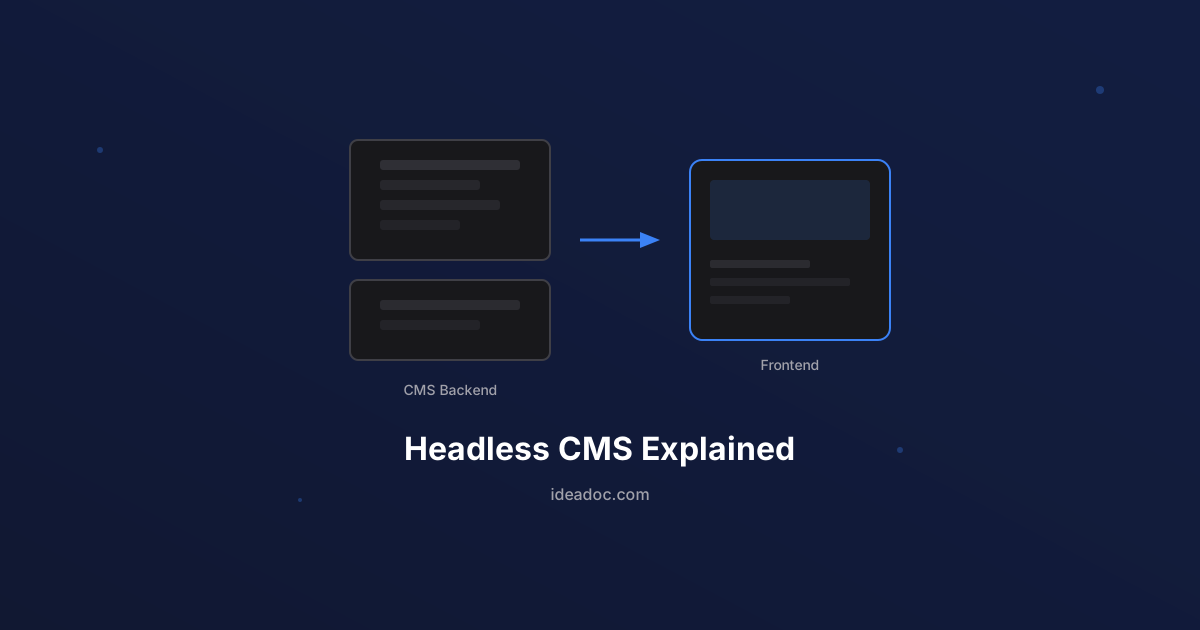
Headless CMS Explained: Why It Matters for Your Business Website
A plain-language guide to headless CMS architecture — what it is, how it differs from traditional WordPress, and when it makes sense for your business.
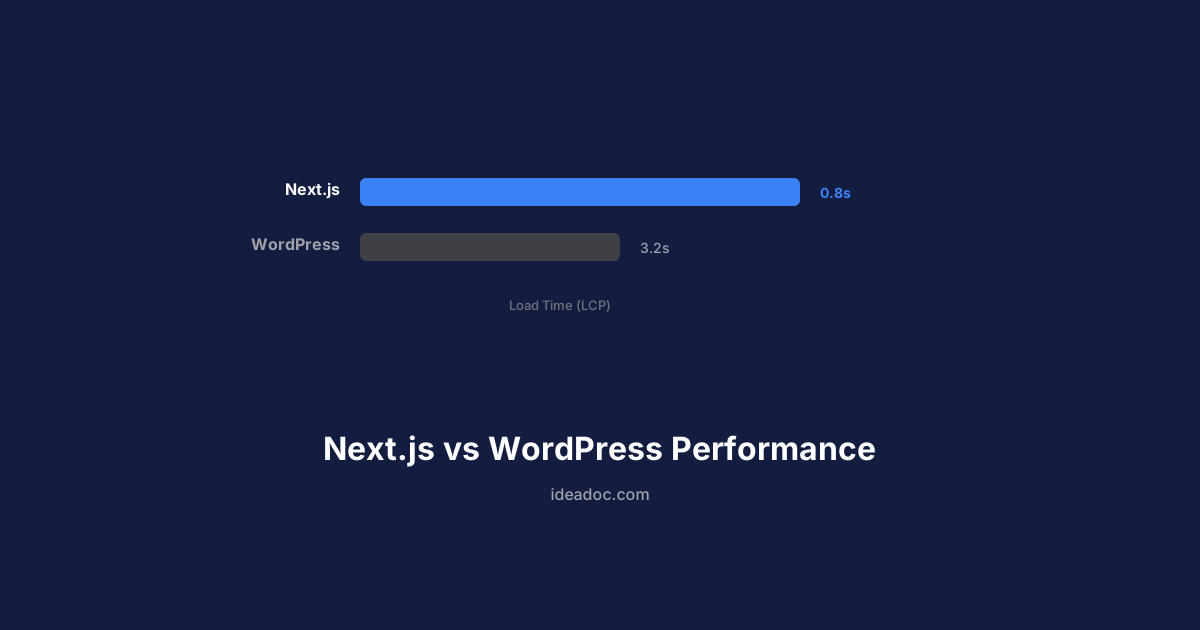
Next.js vs WordPress: Why Performance Matters for Small Business Websites
A practical comparison of Next.js and WordPress for small business websites — covering speed, SEO, security, and total cost of ownership.

Schema Markup for Small Business: The SEO Advantage Your Competitors Are Missing
A practical guide to schema markup for small businesses — what it is, which types matter most, and how structured data helps you stand out in Google search results.