
Next.js vs WordPress: Why Performance Matters for Small Business Websites
A practical comparison of Next.js and WordPress for small business websites — covering speed, SEO, security, and total cost of ownership.
The Platform Choice That Impacts Everything
Your website platform is not just a technical decision. It affects how fast your pages load, how well you rank in Google, how secure your business data is, and how much you spend on maintenance every year. For small businesses, getting this choice right can be the difference between a website that generates leads and one that drives visitors away.
WordPress powers roughly 40 percent of the web, and for good reason — it democratized website creation. But the web has changed dramatically, and the performance expectations of both search engines and users have shifted. Let us look at how Next.js and WordPress compare on the metrics that actually matter for your business.
Speed: The First Impression
WordPress Reality
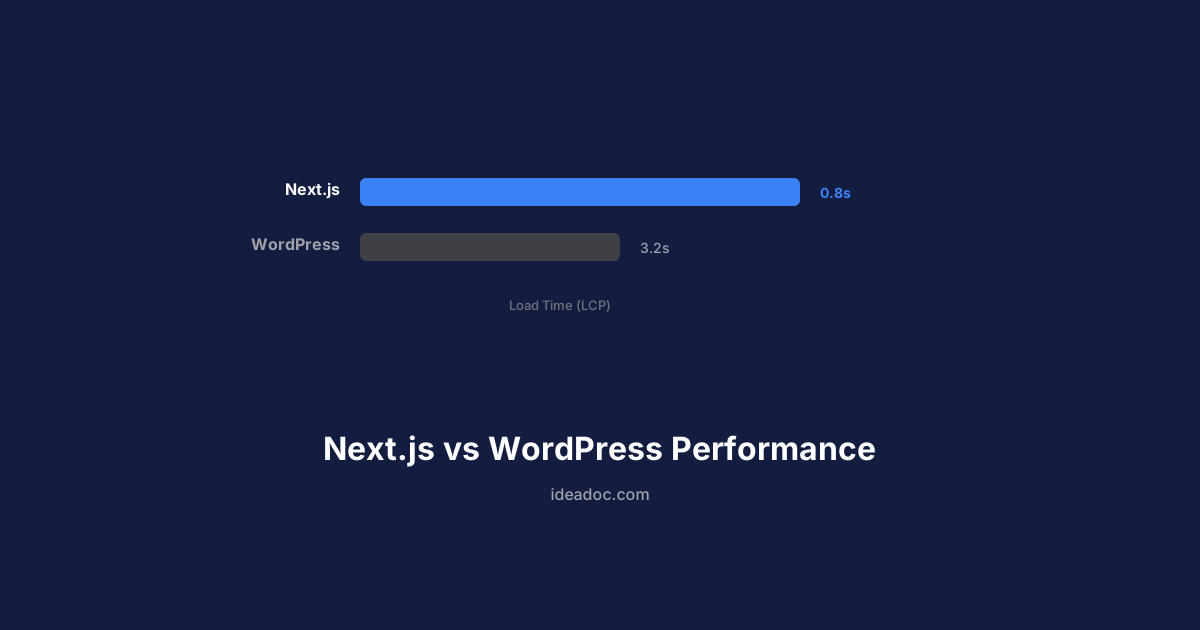
A typical WordPress small business site loads in 3 to 6 seconds on mobile. This is not because WordPress is inherently slow — it is because the ecosystem encourages practices that hurt performance. Five to ten plugins, a page builder theme, unoptimized images, and shared hosting add up quickly.
Each plugin adds database queries and JavaScript. Page builders inject layers of wrapper HTML and CSS. The result is a page that sends 2 to 5 MB of data to load what could be a simple landing page.
Next.js Advantage
A well-built Next.js site typically loads in under 1.5 seconds on mobile. The architecture is fundamentally different:
- Static generation pre-renders pages at build time, so the server sends finished HTML instantly
- Automatic code splitting means each page only loads the JavaScript it needs
- Built-in image optimization serves the right size and format for each device
- Edge deployment on platforms like Vercel serves your site from the closest data center to each visitor
The difference is not marginal. A 3-second load time versus a 1.5-second load time translates to measurably higher engagement and conversions.
SEO: Where Speed Becomes Revenue
Google has made page speed a direct ranking factor through Core Web Vitals. The three metrics that matter are Largest Contentful Paint (LCP), Interaction to Next Paint (INP), and Cumulative Layout Shift (CLS).
WordPress SEO Challenges
WordPress can achieve good Core Web Vitals scores, but it requires significant optimization work — caching plugins, image optimization plugins, CSS/JS minification, database cleanup, and often a CDN. Even with all of this, many WordPress sites struggle with LCP because the server-side rendering is slower than static delivery.
The plugin ecosystem also creates SEO complications. Multiple plugins may inject conflicting schema markup, generate duplicate meta tags, or create unnecessary pages that dilute your site's crawl budget.
Next.js SEO Strengths
Next.js gives you direct control over every aspect of SEO:
- Metadata API provides a clean, typed way to set title, description, OG tags, and canonical URLs per page
- Built-in sitemap and robots.txt generation without plugins
- JSON-LD structured data is just a component, not a plugin configuration
- Server-side rendering and static generation ensure search engines always see fully rendered content
For businesses investing in AI-powered SEO and content, having a fast, technically sound website amplifies every piece of content you publish. A blog post on a 1-second site outranks the same content on a 4-second site, all else being equal.
Security: The Hidden Cost
WordPress Vulnerabilities
WordPress is the most targeted CMS on the internet. This is not a flaw in WordPress itself — it is a consequence of its popularity and plugin ecosystem. Each plugin is a potential attack surface, and many are maintained by solo developers who may not issue security patches promptly.
A 2025 study found that 97 percent of WordPress security vulnerabilities come from plugins and themes, not WordPress core. Small businesses often run sites with outdated plugins, weak admin passwords, and no Web Application Firewall, making them targets for automated attacks.
The cost of a security breach is not just the cleanup — it is the lost customer trust, the Google "unsafe site" warning, and the business downtime.
Next.js Security Model
Next.js sites have a fundamentally smaller attack surface:
- No database for static sites — there is nothing to inject into
- No admin panel exposed to the internet
- No plugin ecosystem with varying security standards
- Automatic security headers can be configured in a single file
- Serverless functions are isolated and stateless, reducing the blast radius of any vulnerability
This does not mean Next.js is immune to security issues, but the architecture eliminates entire categories of attacks that plague WordPress installations.
Total Cost of Ownership
WordPress Costs (Annual)
| Item | Typical Cost |
|---|---|
| Hosting (managed) | $300 – $600 |
| Premium theme | $50 – $100 |
| Premium plugins (5–10) | $200 – $500 |
| Security plugin/service | $100 – $300 |
| Maintenance and updates | $1,200 – $3,600 |
| Total | $1,850 – $5,100 |
Next.js Costs (Annual)
| Item | Typical Cost |
|---|---|
| Hosting (Vercel/similar) | $0 – $240 |
| Domain | $12 – $20 |
| Maintenance | $600 – $1,200 |
| Total | $612 – $1,460 |
The initial build cost for a Next.js site is typically higher than a WordPress template site, but the annual operating costs are significantly lower. Over three years, most businesses spend less total with Next.js when you factor in hosting, plugins, security, and maintenance time.
When WordPress Still Makes Sense
WordPress is not the wrong choice for everyone. It remains a strong option when:
- You need a CMS with a familiar editing interface and your team is already trained on WordPress
- You rely on specific WordPress plugins that have no equivalent in the Next.js ecosystem (e-commerce with WooCommerce, for example)
- Your budget is very limited and you need a site live in days, not weeks
A headless WordPress setup can also give you the best of both worlds — the WordPress editing experience with a Next.js frontend for performance. This is a particularly good option for businesses migrating away from a slow WordPress site without losing their content workflow.
When to Choose Next.js
Next.js is the stronger choice when:
- Speed and SEO are competitive advantages in your market
- You want lower ongoing maintenance costs and fewer security headaches
- Your site needs custom functionality beyond what templates and plugins provide
- You are building a long-term digital asset that should not depend on third-party plugins
For small businesses in competitive local markets — restaurants, home services, real estate — the performance difference directly translates to more visibility and more leads.
Making the Migration
If you are currently on WordPress and considering a move to Next.js, the migration does not have to be disruptive. A phased approach preserves your SEO rankings while upgrading performance:
- Audit your current site — identify top-performing pages, existing backlinks, and content that must be preserved
- Build the Next.js site in parallel while your WordPress site stays live
- Set up redirects for every URL that changes to preserve search rankings
- Launch and monitor Core Web Vitals, organic traffic, and conversion rates
Most businesses see measurable improvements in search rankings within 4 to 8 weeks of migrating to a faster platform. The speed improvement is immediate, and Google rewards it.
Interested in understanding what a Next.js migration would look like for your business? Book a free consultation and we will run a performance audit on your current site.
Get AI tips for your business
Join small business owners getting weekly insights on AI automation, chatbots, and growth strategies. No spam, unsubscribe anytime.
Related Articles
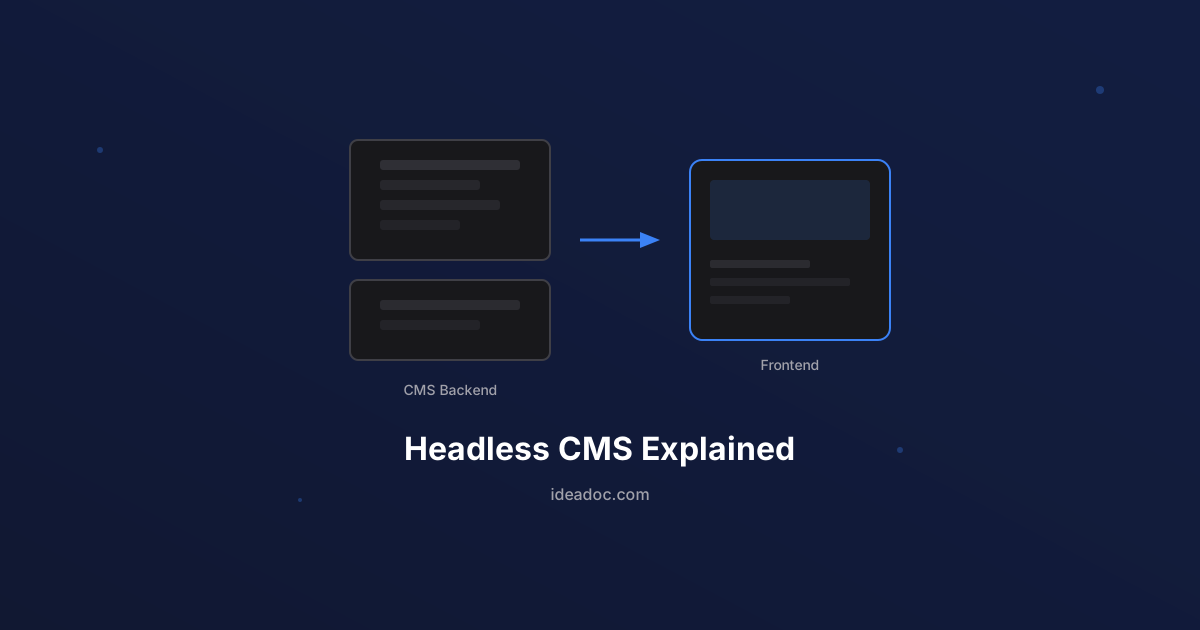
Headless CMS Explained: Why It Matters for Your Business Website
A plain-language guide to headless CMS architecture — what it is, how it differs from traditional WordPress, and when it makes sense for your business.
Schema Markup for Small Business: The SEO Advantage Your Competitors Are Missing
A practical guide to schema markup for small businesses — what it is, which types matter most, and how structured data helps you stand out in Google search results.
7 Website Mistakes That Are Costing Your Small Business Leads
The most common website mistakes small businesses make — and the practical fixes that turn your site from a digital brochure into a lead-generating machine.